TextSplits
Break down large files quickly
Split large text files into smaller, manageable chunks. Choose how to split, preview everything, and export with ease.
Everything You Need
Multiple Split Options
Split by lines, characters, words, or use custom delimiters. Choose the method that works best for your files.
Preview Before Export
See all your chunks before exporting. Each preview shows lines, characters, and words. Click any chunk to view the full text.
Customize File Names
Control how your files are named. Use numbers, add prefixes, or combine numbers with your original filename.
Detailed Statistics
See statistics for each chunk and totals for all chunks. Know exactly what you're working with.
Drag & Drop
Simply drag and drop files into the app. No complicated menus or file browsers needed.
Fast & Simple
Split large files in seconds. Clean interface that gets out of your way so you can focus on your work.
See It In Action
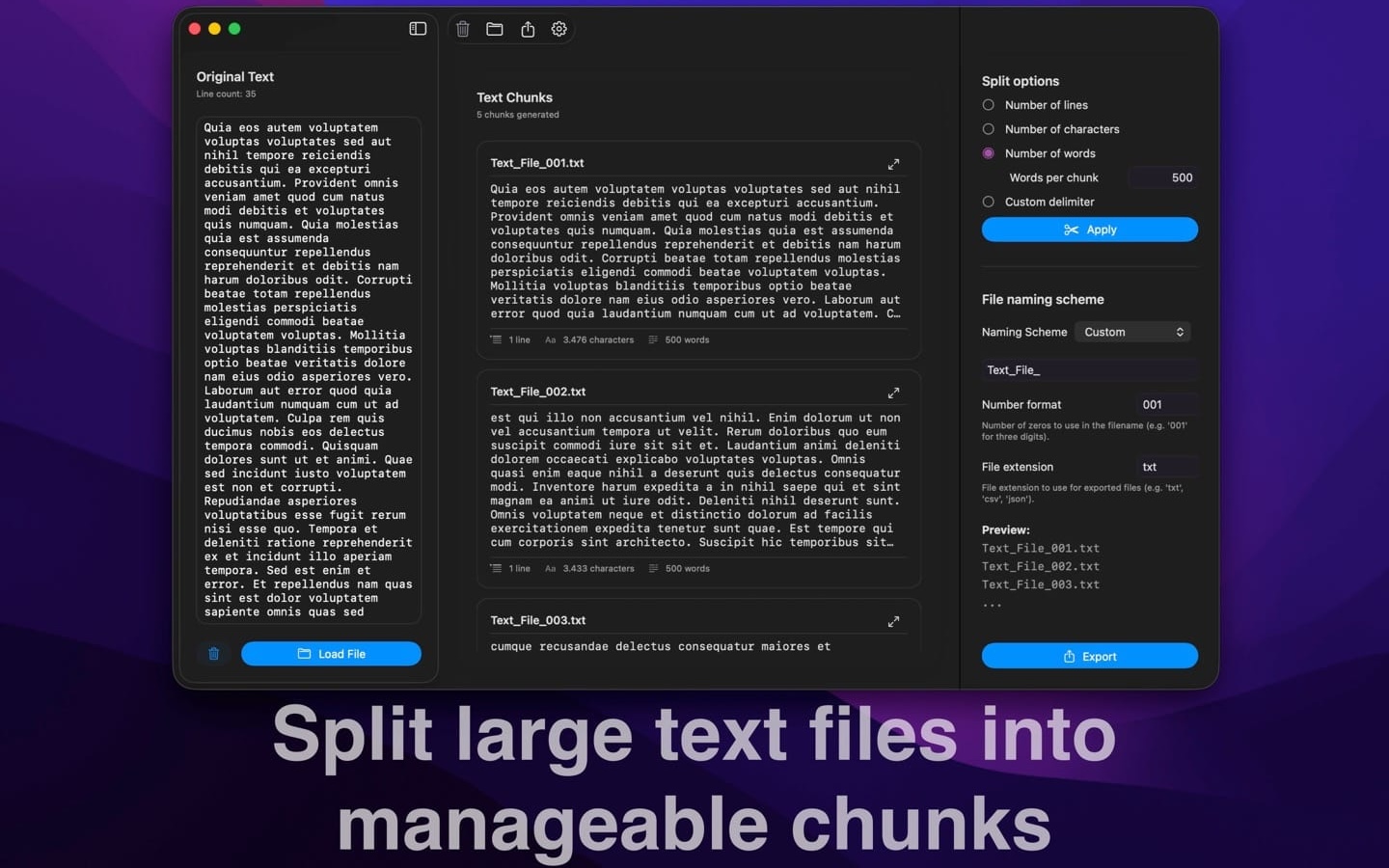
Split text files into organized chunks
Three-panel interface: load, preview, and customize your splits
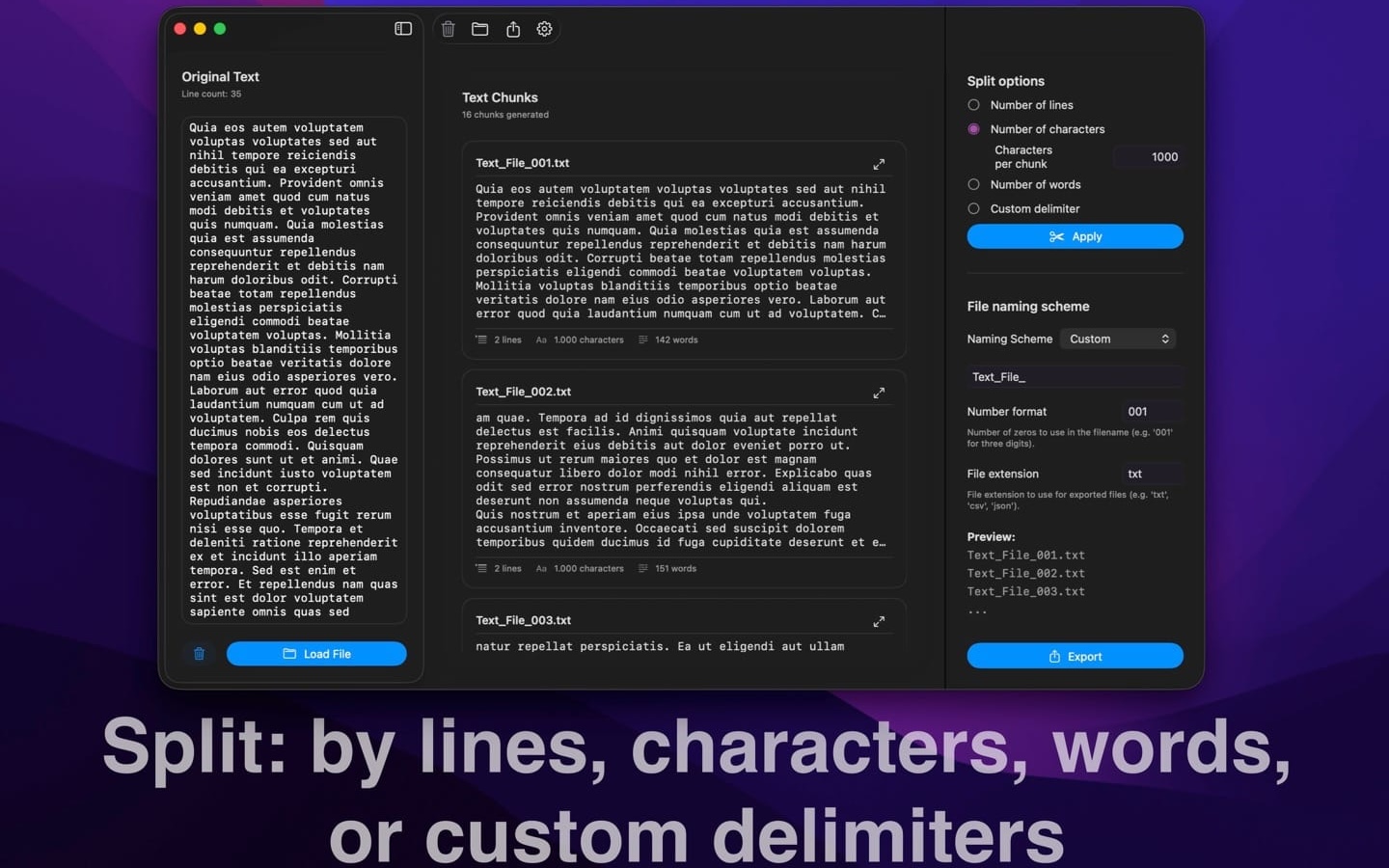
Choose how to split
Flexible splitting options for any workflow
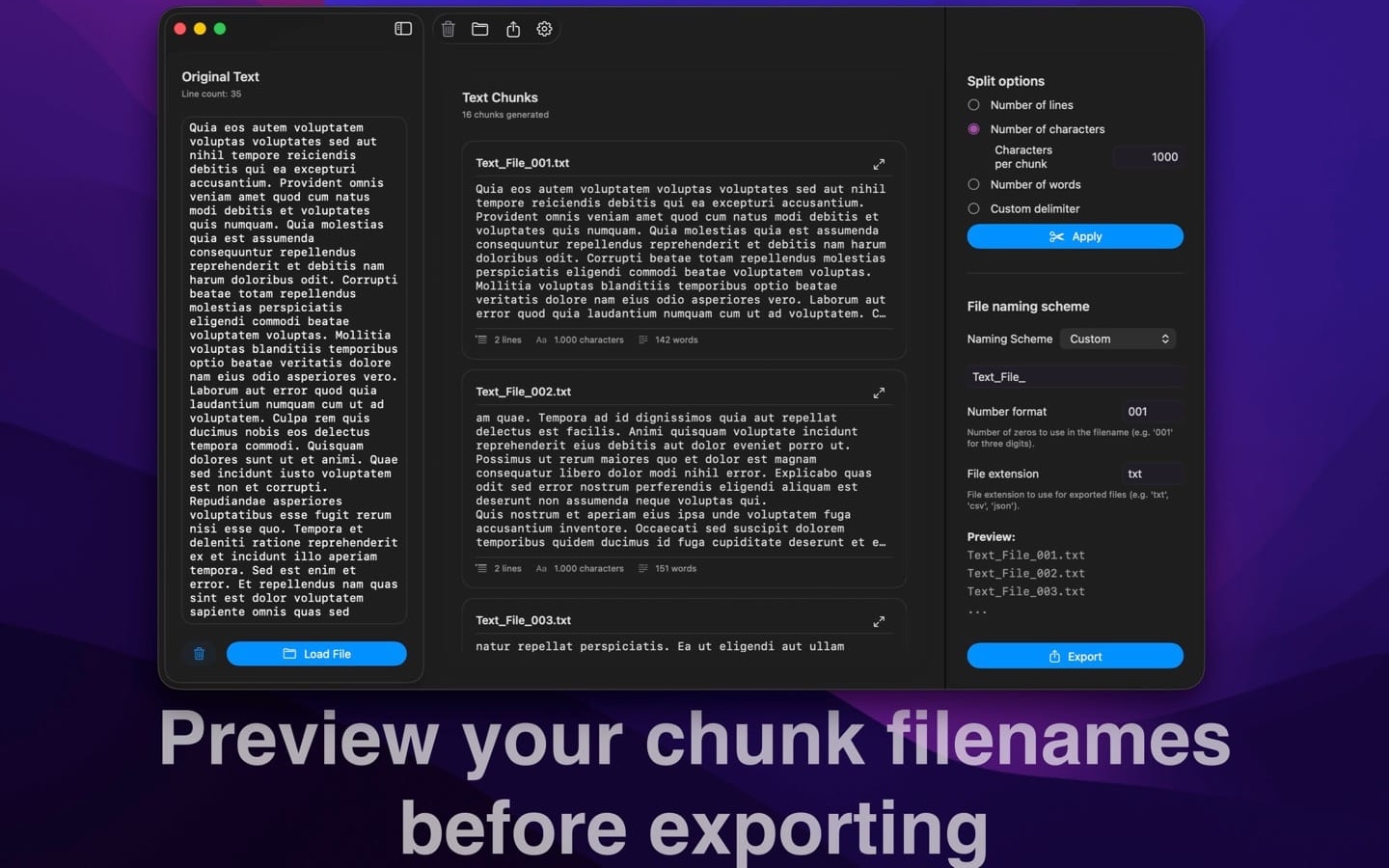
Track statistics for every chunk
View full text with one click
Why TextSplits?
- Save Time - Split large files in seconds instead of doing it manually
- Stay Organized - Preview everything before exporting so you know what you're getting
- Full Control - Customize file names, extensions, and how files are split
- Easy to Use - Drag and drop files or paste text. No complicated setup needed
- Works Offline - All processing happens on your Mac. No internet required
- Perfect for Any File - Works with logs, data files, code, or any text document
Ready to Get Started?
Download TextSplits from the Mac App Store today
Download on Mac App StoreContact me about this app