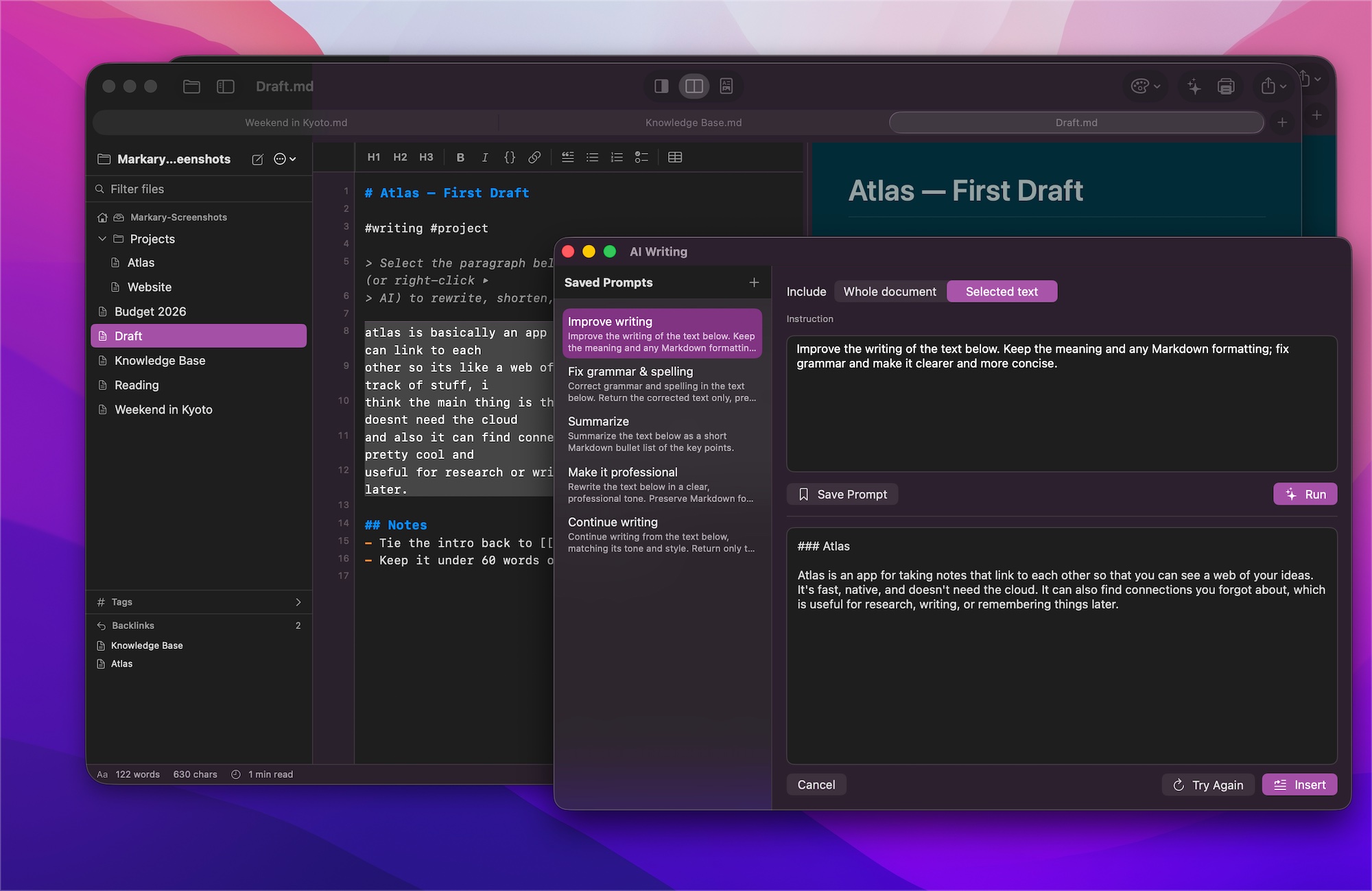
On‑device AI
Rewrite, shorten, and polish your text — running entirely on your Mac. Private, offline, no account.
A fast, private editor with a live preview, a linked‑note vault, and on‑device AI. Everything stays on your Mac — nothing in the cloud.
## the editor
Type plain Markdown and see it rendered the instant you pause. Split the panes, or focus on just the source or the page.
$math$, and Mermaid diagrams/ menu to insert anything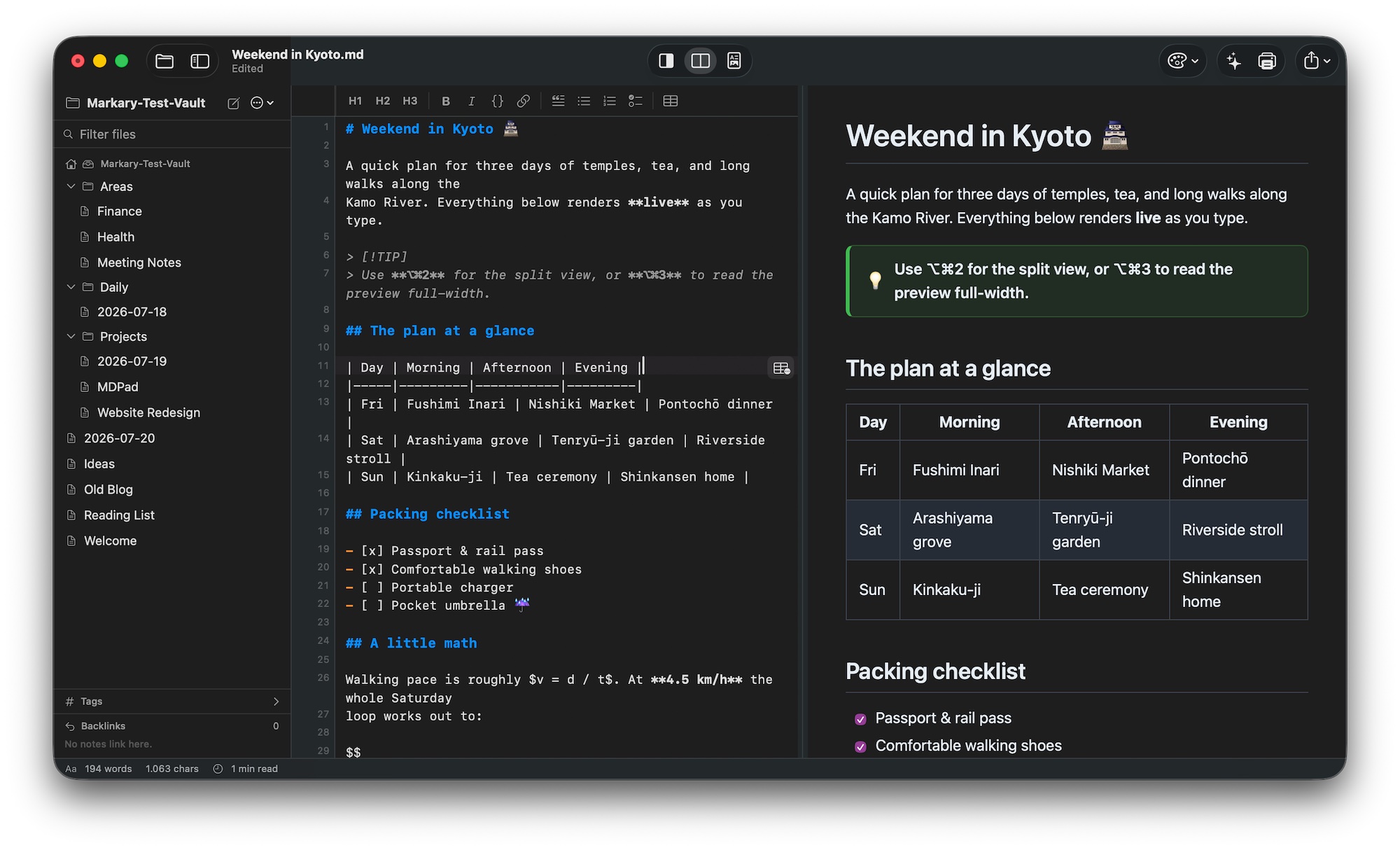
## your vault
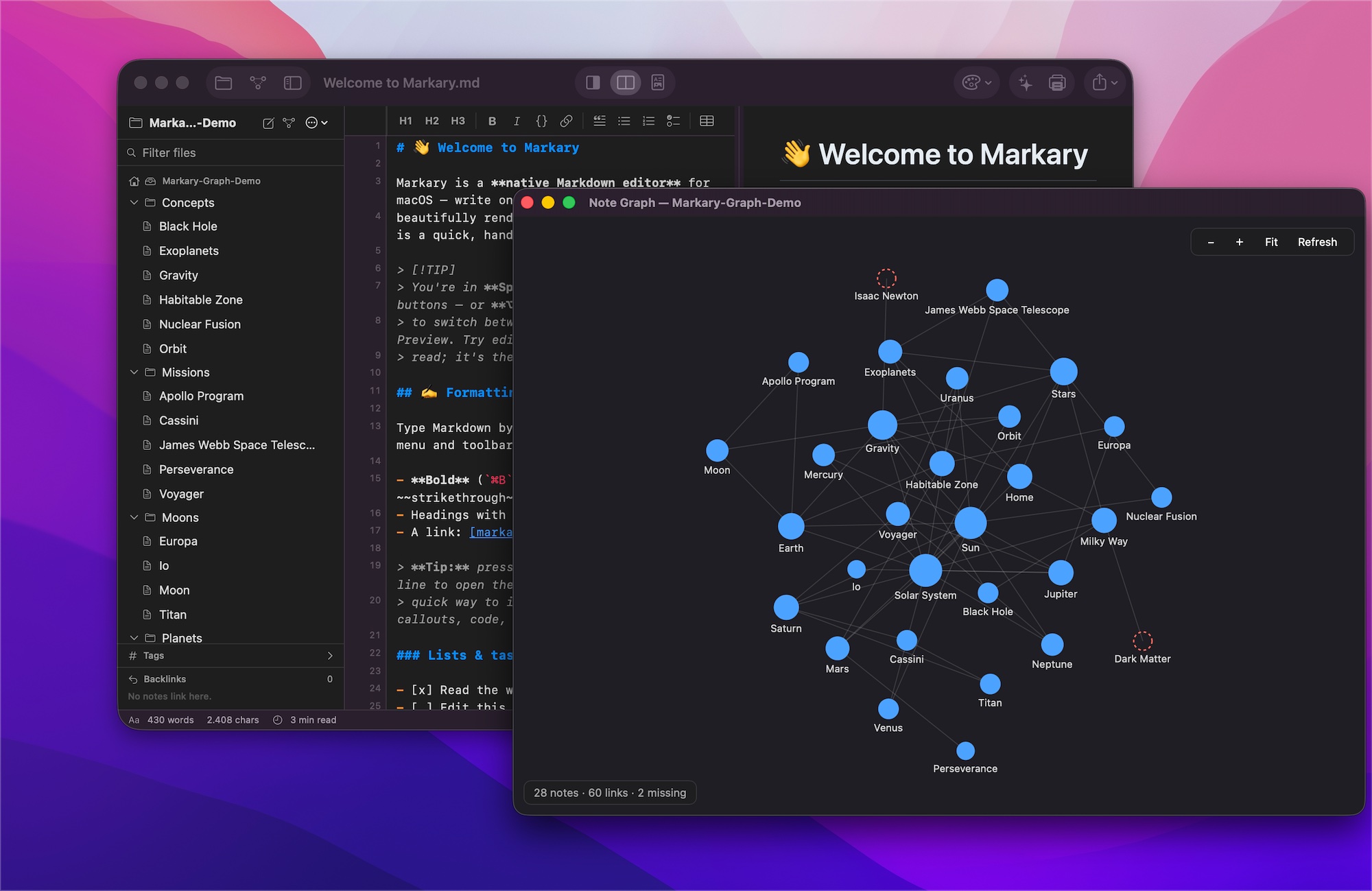
Open any folder as a vault and turn a pile of files into a knowledge base you can actually navigate.
[[wiki-links]], group them with #tags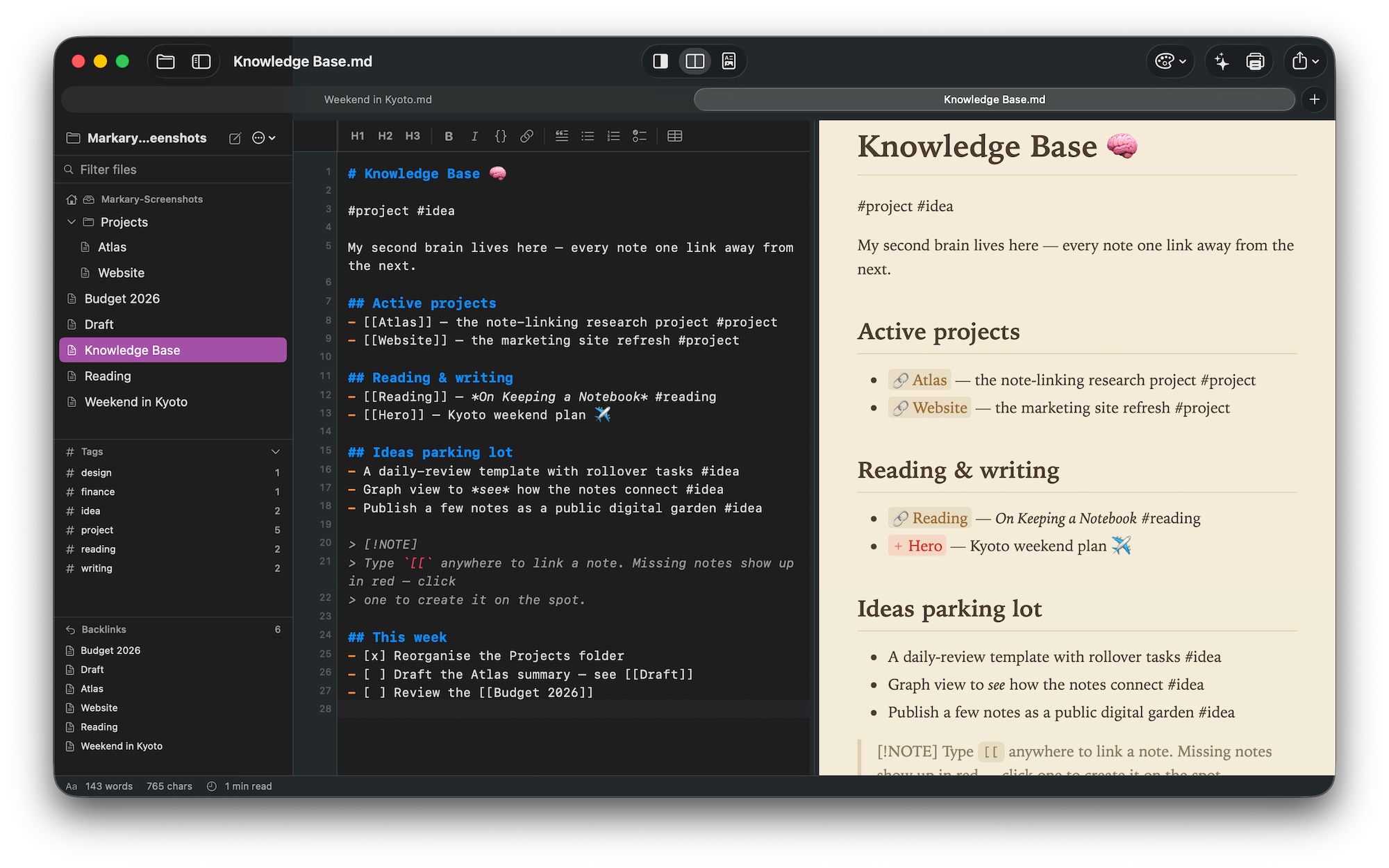
## and there's more
Rewrite, shorten, and polish your text — running entirely on your Mac. Private, offline, no account.
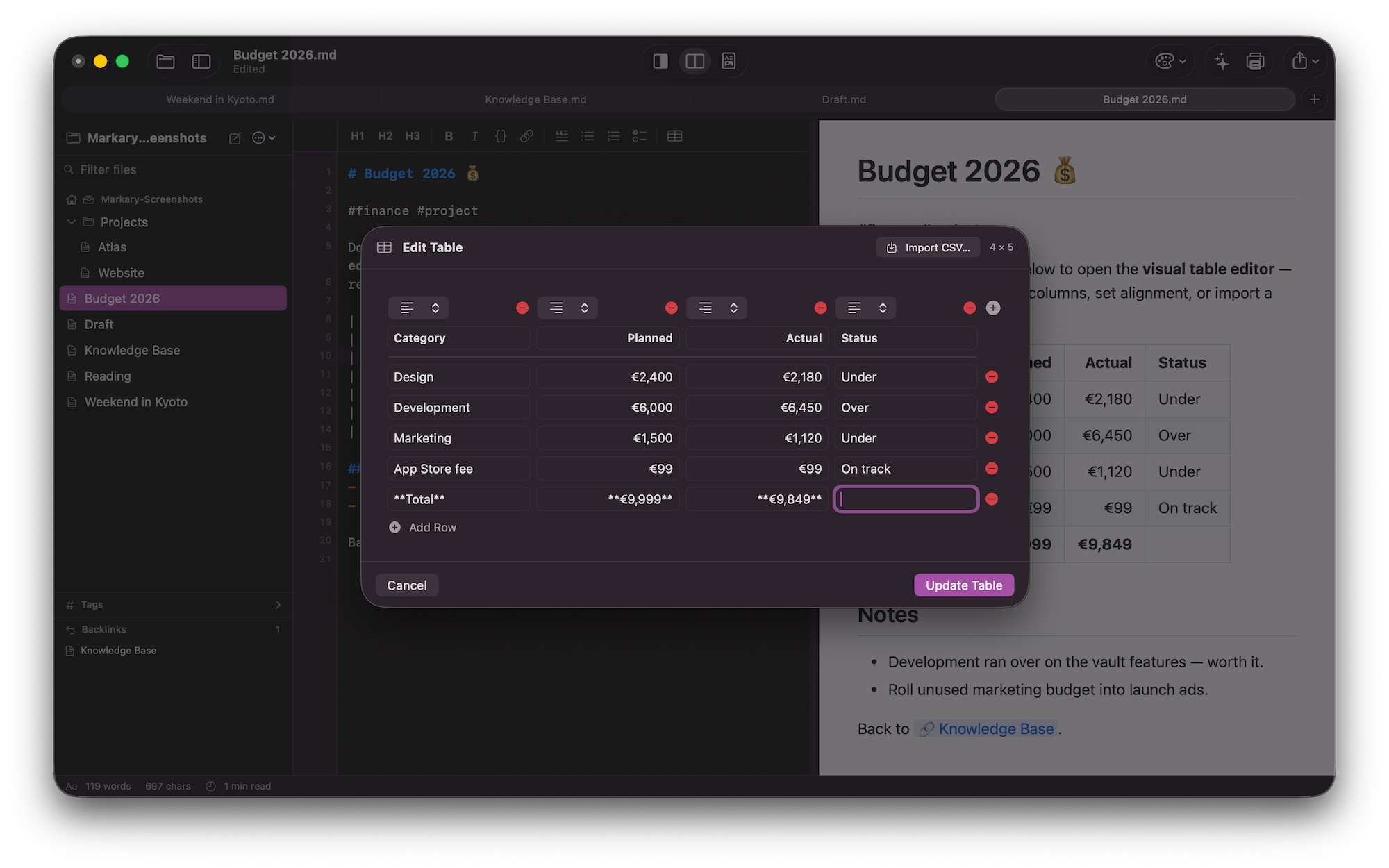
A visual editor for rows, columns, and alignment — or import a CSV straight into a table.
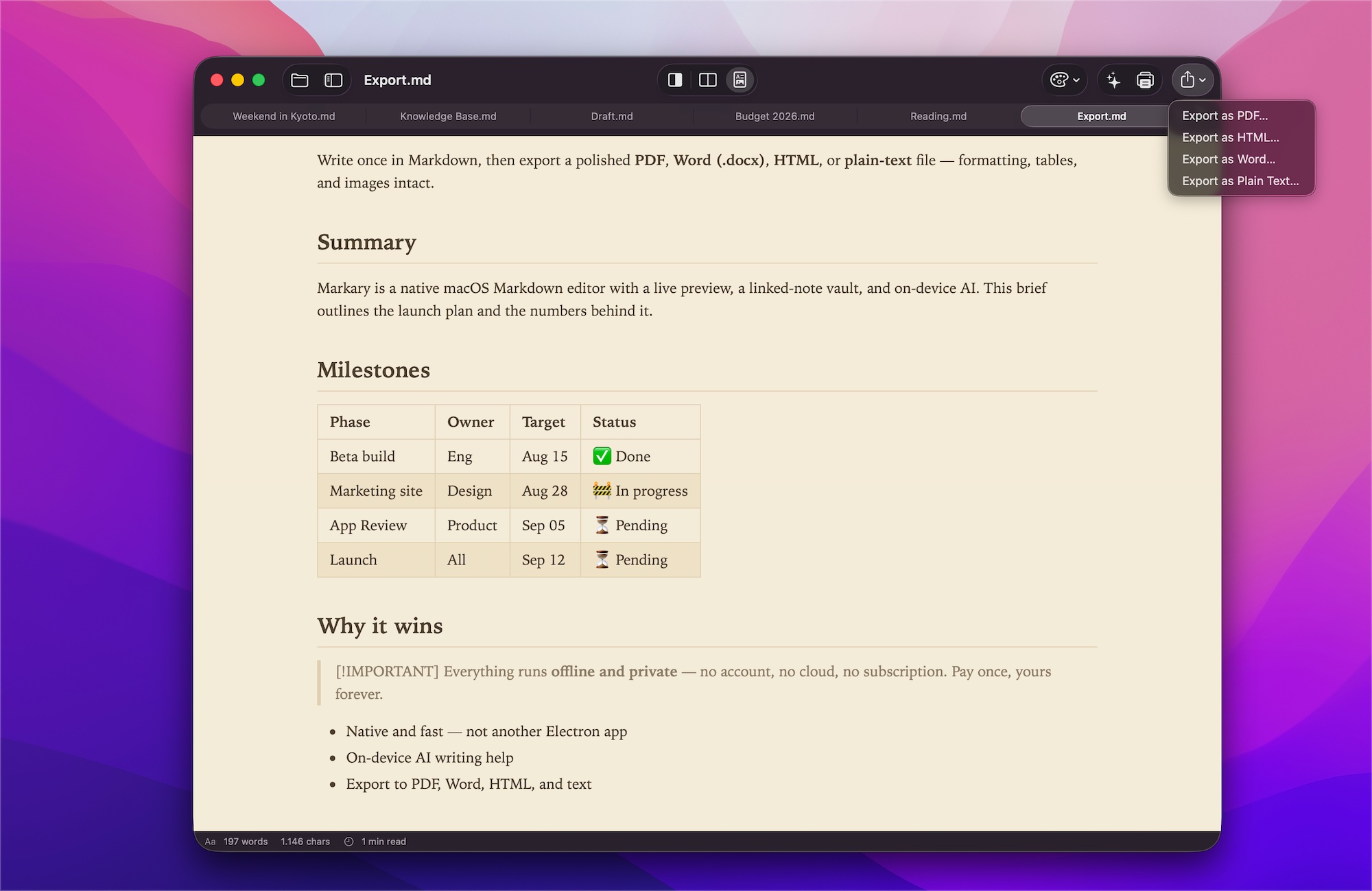
Turn any note into a polished PDF, Word, or HTML file — formatting, tables, and images intact.
## make it yours
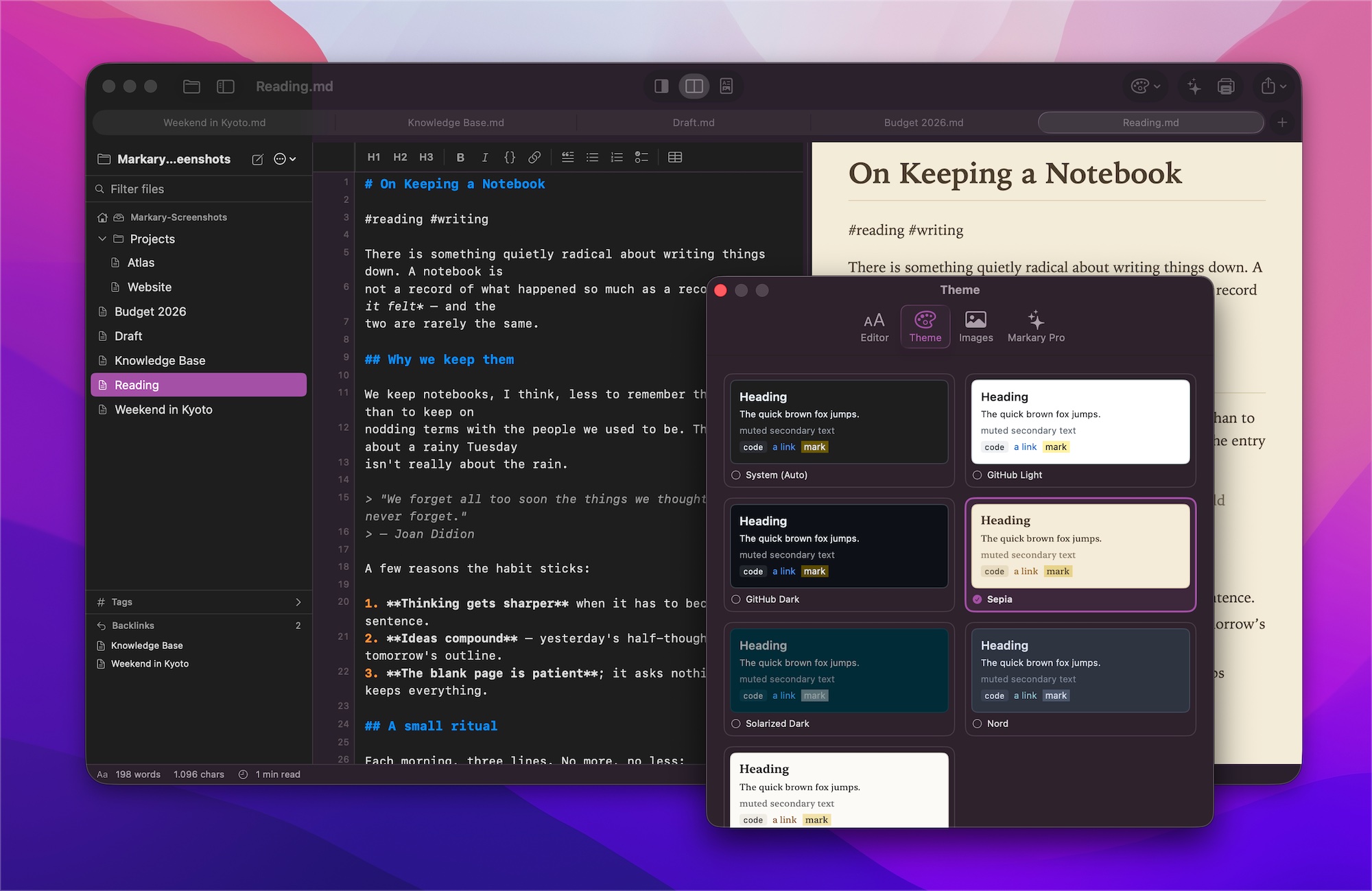
Seven preview themes and adjustable typography — from crisp GitHub to warm Sepia to a calm, focused read. Set your font, size, and line spacing once, and Markary remembers how you like to read and write.
# markary
Requires macOS 14 or later · Apple silicon & Intel