Export for iTunes
Help
Songs are in iCloud
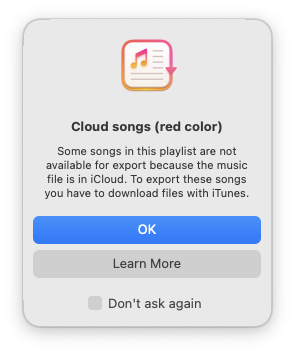
If some of your playlists songs are only exist on cloud music library and there is no local copy of the songs, then the app cannot export the songs and you will see this message when you select the playlist.
To fix this problem, open the playlist on the Music app and choose the “Download” button to download all the playlists songs.
After finish the download procedure, you can export the playlist with “Export for iTunes“ app.
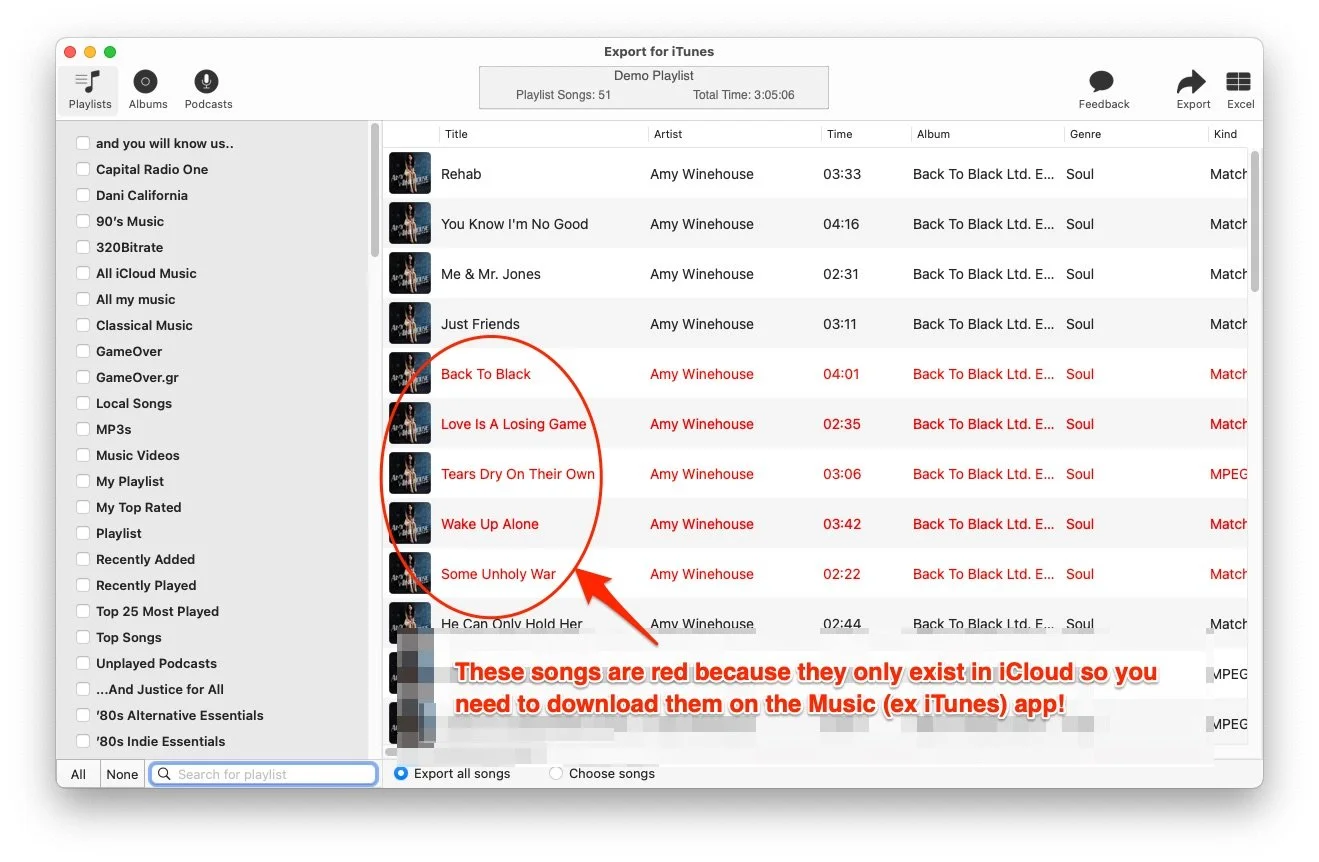
Example of cloud songs
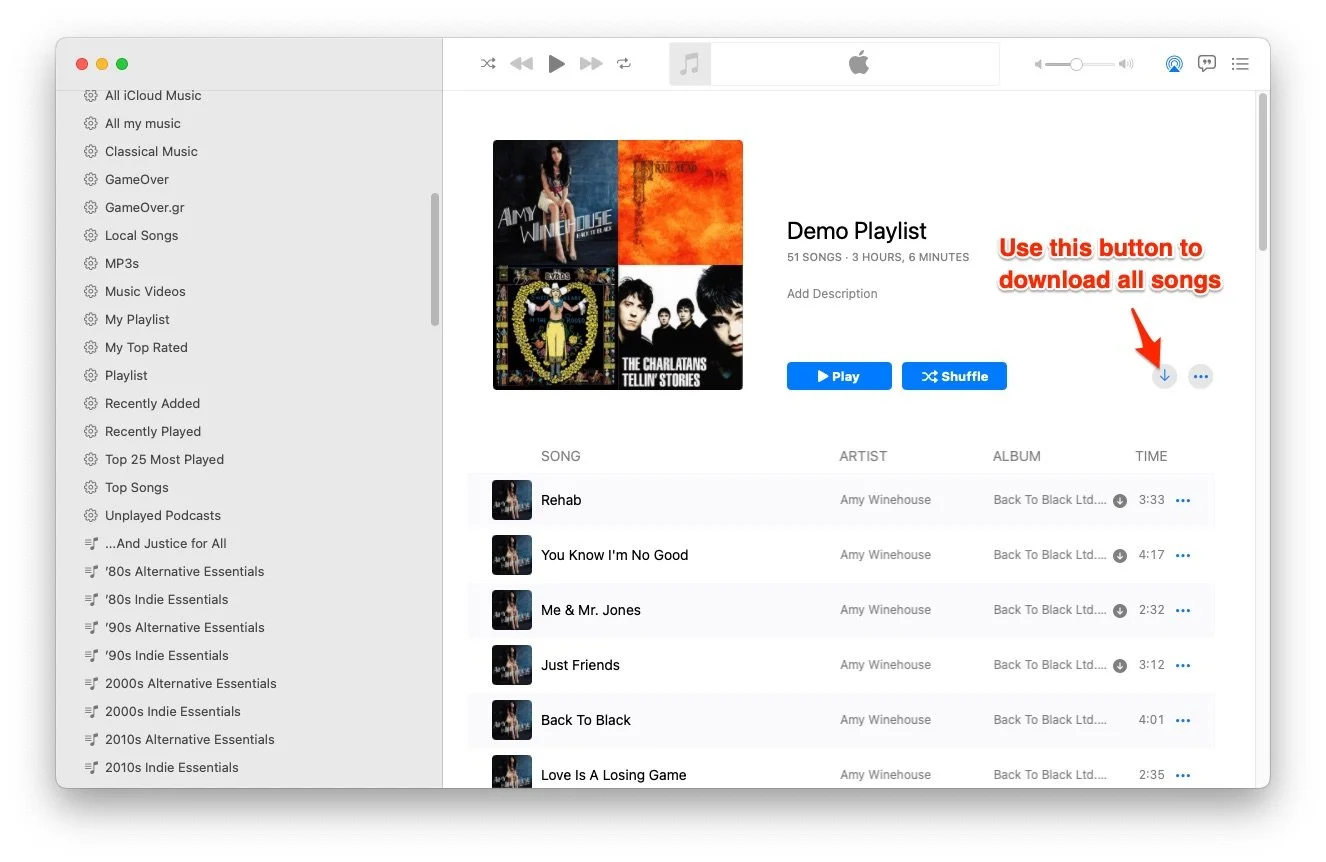
Use Music app to download all playlists songs.
If you have any questions you can contact me with this form: